Photos on every device
Snap a photo on your phone and see it on your computer. Every unit and item can have its own.
For storage unit, thrift and liquidation resellers
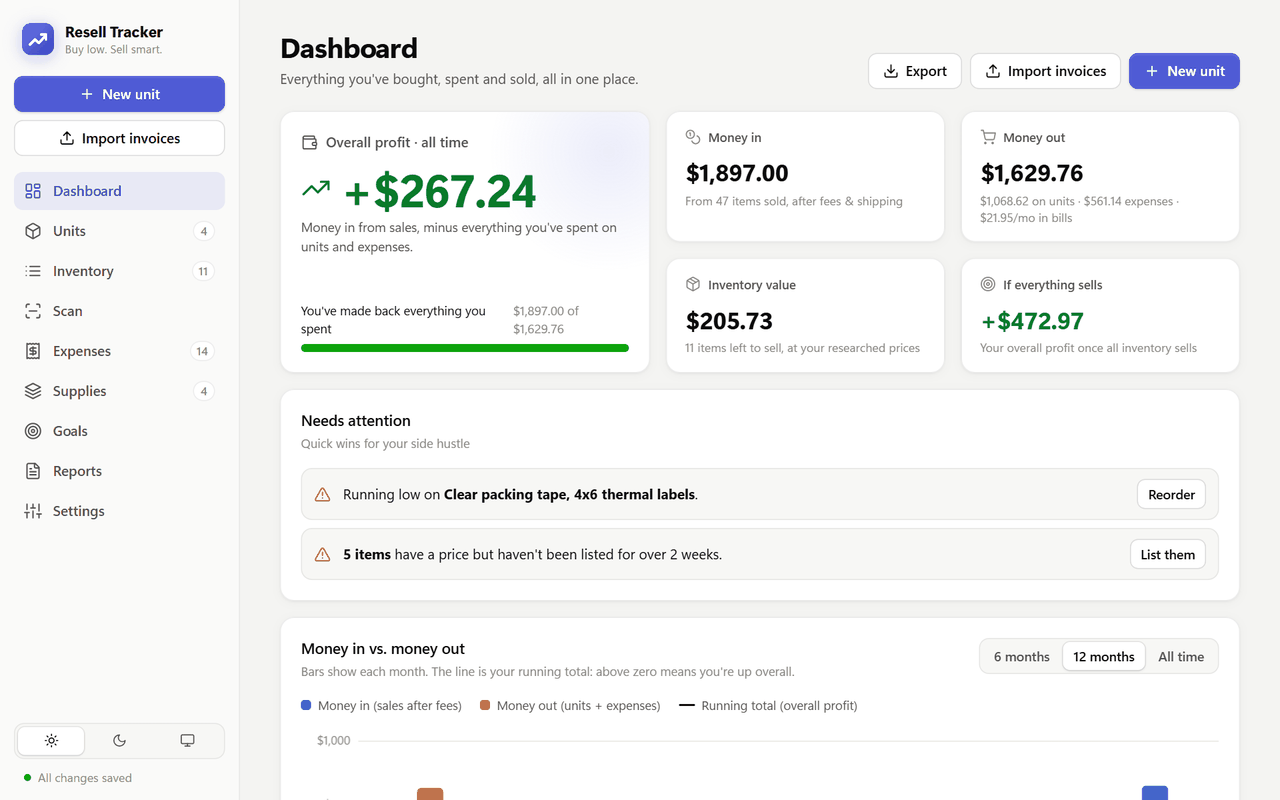
Resell Tracker splits what you paid for a unit across everything inside, counts your fees and packing supplies, and shows what each sale really put in your pocket. With Pro, label your stock with QR codes and sell with a scan.
No card needed. After your trial, go Pro for $9.99 a month or keep using the free plan.

How it works
Three steps, and the math is done for you.
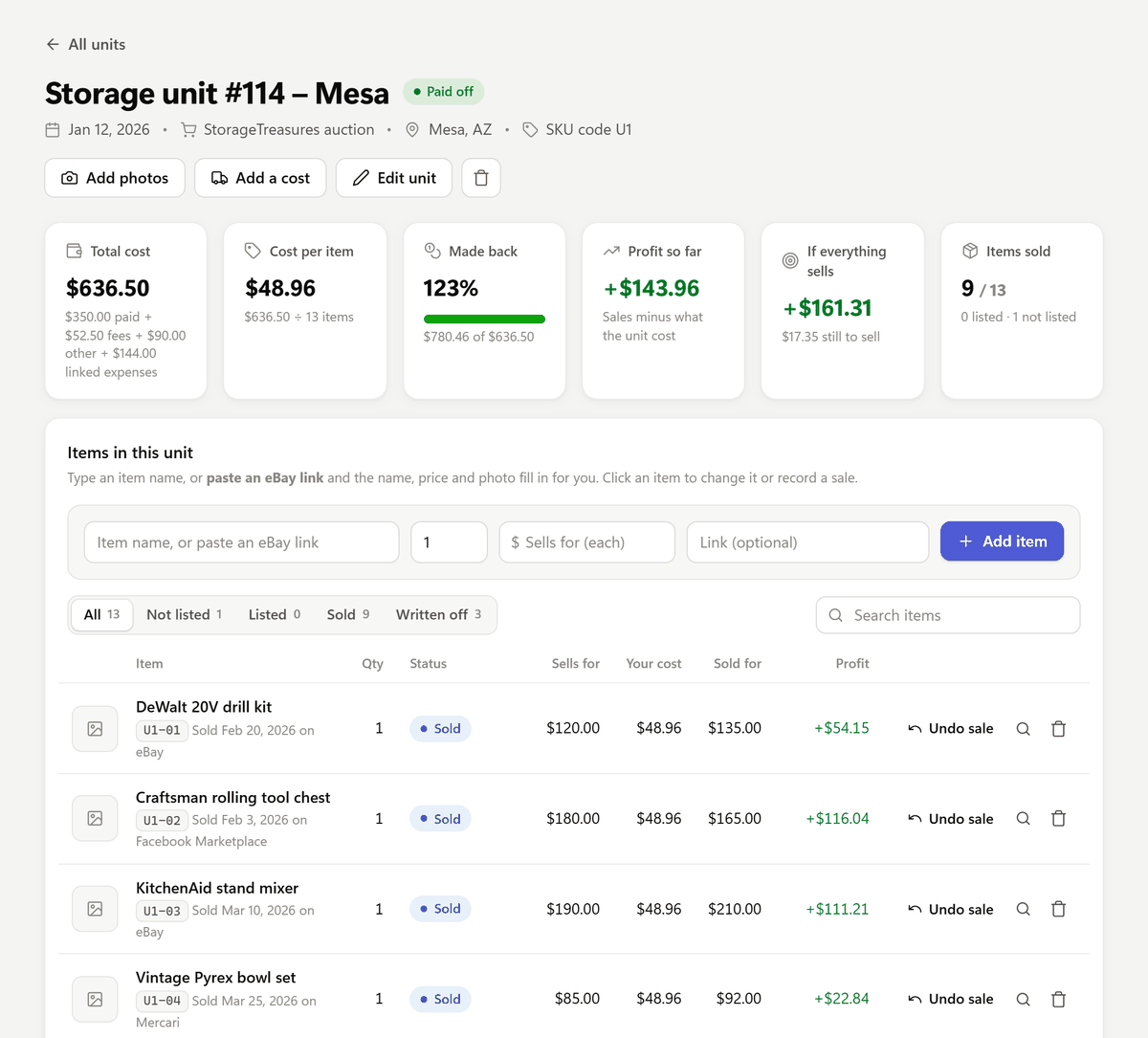
Import the auction invoice (a PDF or a photo) or type it in. Add the truck, the helpers and the dump run, and the total is split across everything inside.
Print a QR label for each item and scan it in with the shelf or bin it's on. You'll always know where everything is.
Scan the item and the box and bubble wrap you packed it in, or just mark it sold. Supplies come off your stock and you see the real profit right away.
Scan & sell Pro
No more hunting for the unit, then the item. Open Scan, scan the item, scan the supplies you packed it with, and complete the sale.

QR labels Pro
Every item and every supply gets its own code. Print labels on the printer you already have. No Zebra needed.
Zebra, DYMO, Rollo, MUNBYN and others. Common sizes like 2.25 × 1.25 in or 4 × 6 in, or your own size.
Avery 5160 / 8160 (30 per page) or 5167 (80 per page) on a normal printer. Start at any sticker to use up a part-used sheet.
Plus a scan sheet with all your supplies' codes, to tape up at your packing table.

True profit
Enter what you paid, plus the buyer's premium, the truck, the helpers and the dump run. It's split across everything inside, evenly or by value, so every sale shows its real profit, not just its price.
Packing supplies count when you use them in a sale, not when you buy them, so each month's profit stays honest.
Everything else
All of this is on the free plan too.
Snap a photo on your phone and see it on your computer. Every unit and item can have its own.
Drop in a StorageTreasures invoice, as a PDF or a photo, and the unit fills itself in. Other auction sites often work too.
Log boxes, tape and mailers once. See what each one costs and get a heads-up before you run out.
After a Whatnot show, import the sales and they're marked sold. Still listed on eBay? The app reminds you to end it, so nothing sells twice.
Could it pay your bills? Replace your job? Set a goal and watch your profit close the gap.
A yearly profit and loss for tax time, a month-by-month chart, and an export to Excel.
Works everywhere
Sign in with the same email wherever you are. Log a sale from the garage and it's on your computer before you're back inside.
Use it in any browser, on a Windows PC, a Mac, a Chromebook or your phone. Nothing to install.
Made for iPhone, with a tab bar, big buttons and camera scanning. Same account, so everything will already be there.
Until then, open backtester24.com/app in Safari and add it to your home screen.
The desktop app for your PC, with direct printing to Zebra label printers and eBay links that fill in items for you.
Pricing
When your trial ends, go Pro or keep going on the free plan. Your data stays put either way.
Every new account starts with 7 days of Pro, free. No card needed.
Track every unit, item and sale.
Everything in Free, plus:
Prices in US dollars. Pro renews monthly until you cancel.
Questions
Pretty much any printer. With a label printer (Zebra, DYMO, Rollo, MUNBYN and others), pick your label size: 2.25 × 1.25 in, 2 × 1 in, 1.5 × 1 in, 1 × 2.63 in, 4 × 6 in, or type in your own. Print a test label first to check it lines up.
No label printer? Print on Avery sticker sheets with any normal printer: 5160 / 8160 (30 per page) or 5167 (80 per page). You can start at any sticker, so part-used sheets don't go to waste.
In the Windows app, Zebra printers can also print directly, which is the fastest.
Any USB or Bluetooth barcode scanner that types like a keyboard, which is almost all of them. Plug it in and whatever it scans is typed in for you.
For QR codes it has to be a 2D scanner (often called a 2D imager). Cheaper 1D laser scanners only read the striped barcodes, not QR codes.
Scan on the Scan page to sell, pack or scan items in, or anywhere else in the app to open that item.
Yes. On the Scan page, tap Use camera and hold your phone over the label. It works in your phone's browser today, and it will in the iPhone app too.
A camera is great for a few items at a time. If you pack a lot of orders, a handheld 2D scanner is faster.
Yes. Every new account starts with 7 days of Pro, free, with no card needed. Print labels and scan your own items before you decide.
The iPhone app is coming soon to the App Store. It uses the same account, so there's nothing to move over. There's no Android app yet.
Until then, use Resell Tracker in your phone's browser and add it to your home screen for one-tap access:
Yes. Everything you enter is tied to your account, and only you can see it. We don't sell your data or share it with other resellers. It's stored securely with Supabase, a database provider in the United States.
You can download a backup of your data anytime, and delete your account from Settings. The details are in our Privacy Policy.
You choose. Go Pro for $9.99 a month, or do nothing and your account moves to the free plan. You're never charged unless you subscribe, and nothing you've entered is deleted.
On the free plan, QR codes, labels and scanning are locked, you'll see ads, and you can have up to 2 units. If you already have more, they stay; you just can't add new ones until you go Pro.
Anytime, with no fee. In the app, go to Settings, Your plan and choose Cancel subscription, or email us at inyourdowntime@gmail.com and we'll cancel it for you.
You keep Pro until the end of the month you've already paid for, then your account moves to the free plan.
Add your last few units and see the real numbers for yourself.
No card needed. Cancel anytime.